
How Kerbtest works
Kerbtest runs in your phone's browser. Buy once, sign in with a link sent to your email, and practise in four ways. These screenshots are from the app itself, at phone size.
Pick how you want to practise
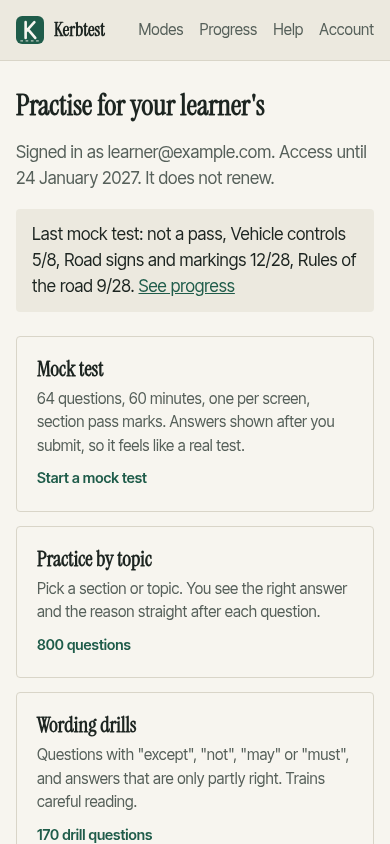
After you sign in, the app shows four modes, how long your access lasts, and your last mock test score.
A mock test that works like the real one
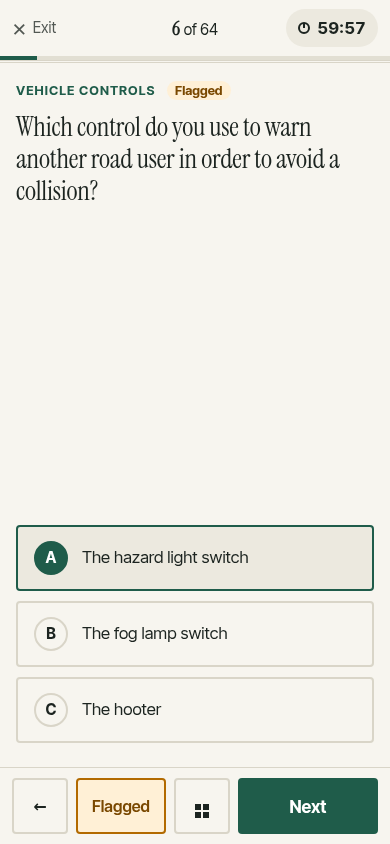
64 questions, 60 minutes on the clock, one question per screen. The test fills the screen: no menus, just the question, the clock and big buttons within thumb reach. Go back, change answers or flag a question until you submit. Answers are shown after you submit, so it feels like a real test.
A score for every section
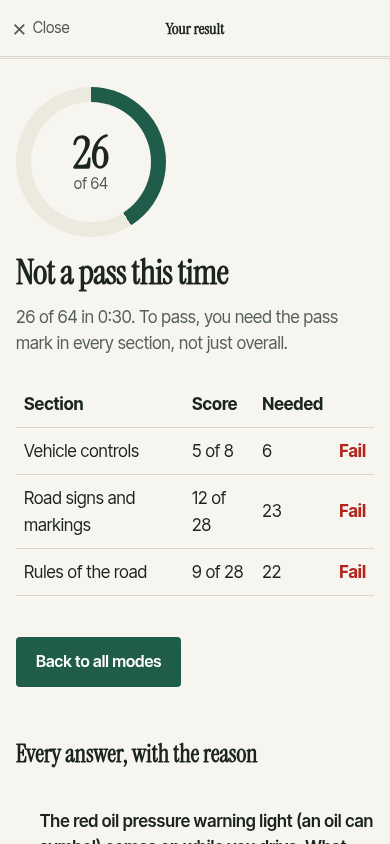
You need the pass mark in each section, not just overall. The results show which section let you down, then every question with your answer, the right one and why.
Practice with the reason straight away
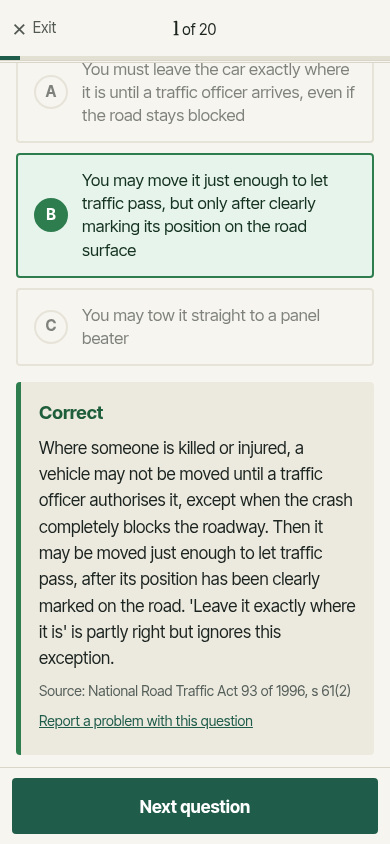
Practise one section or one topic. After each answer you see whether you were right, why, and which law or regulation it comes from. 800 questions so far.
Wording drills
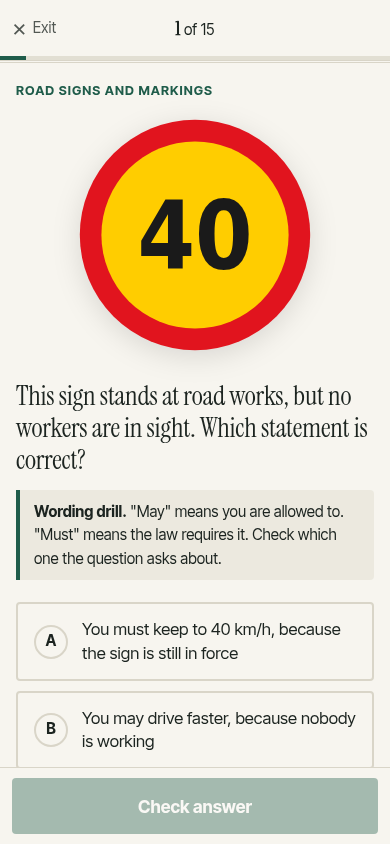
170 questions built around "except", "not", "may", "must" and answers that are only partly right. The app names the trap before you answer, so you learn to spot it.
Progress and weak areas
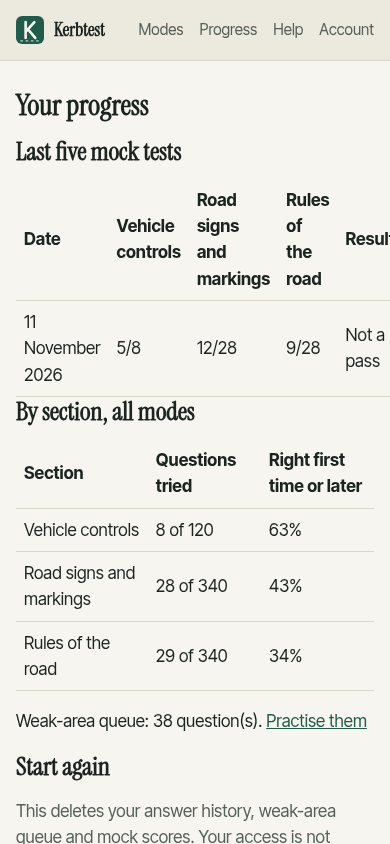
Your last five mock scores per section, how much of each section you have tried, and a queue of questions you got wrong. They come back until you get them right twice in a row.
Getting in
- Buy 90 days
R99 by card through Paystack. - Sign in with your email
We send a sign-in link. There is no password to remember. - Practise
Open kerbtest.co.za/app on any phone or computer.